 Loading...
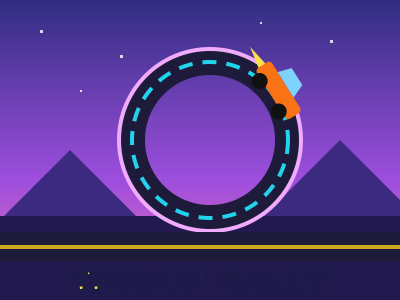
Whoop Rally is a 3D stunt racing game built for a computer screen, where every track is a short, wild race against five rival cars. Drive a chunky little car through full vertical loops, fly off kickers over open gaps, hit glowing boost pads, drift round the bends and swing through banked corners while the other five try to get there first. The rivals are different every race: new drivers, new cars, a new starting grid, and they do not always drive the same way, so no two races finish alike. Pick how quick they are: Entry for a friendly race, Advanced for a real fight, or Pro, where only a clean drive with good use of the boost wins. Your place shows big at the top of the screen, with the whole field listed beside the clock and every car on the minimap. There are eight tracks across four worlds: the green hills, a red desert canyon, a neon city at night and a snowy mountain pass. Finish in the top three on any level to open the next track. Stars come from wins: one for a win on Entry, two on Advanced (one for second), and three on Pro (two for second, one for third), so all 24 stars take Pro wins. Stars open new cars in the garage: Pip the grippy starter hatchback, Brick the heavy truck that lands every jump, Viper the low wedge that flies on the straights and Comet, a rocket on wheels with a boost that lasts and lasts. Each one sounds like itself, from Pip's busy little buzz to Comet's turbine whine. Scrape a barrier and you glance off it and keep going. Fly off the track and you are put straight back on the road, still rolling, and for a moment you blink and pass through the other cars so nobody can knock you off again. Every track has been won by a test bot in every car on every level before release, so every race can be won. Whoop Rally plays free in your browser with no download. It is made for a keyboard or a gamepad on a computer, and also works on phones and tablets with big on-screen buttons. A quality setting keeps it smooth on older machines.
Press the up arrow or W for gas and the down arrow or S to brake; keep holding it once you have stopped to back up. Steer with the left and right arrows or A and D. Space or Shift fires the boost while the blue bar has some left; it fills again on its own. Brake hard while you turn at speed to drift, which also fills the bar. Press R to put the car straight back on the road where it is, facing the right way and still rolling. P or Esc pauses. Pick the rivals' level (Entry, Advanced or Pro) on the start screen or in the track list. With a gamepad, use the left stick to steer, the right trigger for gas, the left trigger to brake, X or the right bumper to boost and Y to put the car back on the road. On a phone, steer with the arrows on the left and use the pedals and the boost button on the right; tap the round arrow to put the car back on the road.
Keep your speed up and hold the gas all the way round. Hit the boost pad before the loop if there is one, and do not steer much while you are upside down.
You are put straight back on the road at the nearest safe spot behind where you went off, facing the right way and still rolling. For a moment the car blinks and passes through the other cars, so nobody can knock you straight off again. The clock keeps going, so a fall only costs you a second or two.
Press R once (Y on a gamepad, or tap the round arrow on a phone) to put the car straight back on the road right where it is, straight, the right way up and still rolling. If you are in a loop or on a jump it uses the flat road just before it. Another press within a second is ignored, so a double press never sends you back twice.
Finish a race in the top three, on any level, to open the next track. Stars open cars: a win on Entry is worth one star, a win on Advanced two (and second place one), and on Pro a win is worth three, second two and third one. Each track keeps its best result. Brick opens at 6 stars, Viper at 13 and Comet at 20, so the faster cars need Advanced and Pro results.
Five rivals race you on every track, and they are new every race: different drivers, cars, colours and starting places. Each drives its own line, boosts at its own moments and now and then runs wide or fluffs a corner. They never go quicker than their level allows, so a clean drive with good use of the boost beats them, even on Pro.
Open Settings and pick Low. It draws fewer trees and turns off shadows, which helps a lot on older computers and phones.